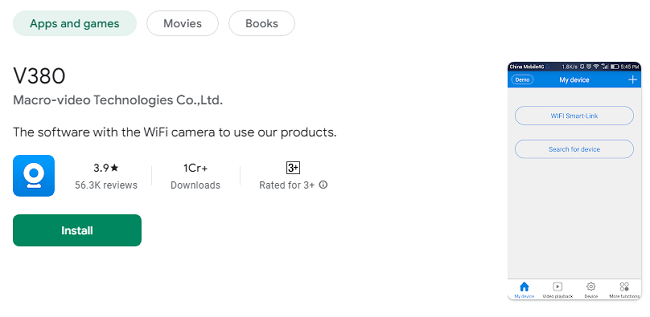
V380 App - Your Ultimate Guide to Smart Surveillance
The V380 app is a modern surveillance solution designed for individuals and businesses looking to enhance their security. As an intuitive and feature-rich application, it allows users to control and monitor IP cameras through smartphones, tablets, or PCs. From live video streaming to advanced motion detection, the app provides an all-in-one solution for surveillance needs.
Ideal for both personal and professional use, the V380 app supports a wide range of camera models and offers functionalities like two-way audio, remote playback, and multi-camera management. This guide will walk you through its features, setup, and FAQs, making it easier to understand why the V380 app has become a go-to option for smart monitoring.
Features of the V380 App
The V380 app boasts a comprehensive set of features tailored to meet various surveillance requirements. Below are its key highlights:
1. Real-Time Monitoring
Access live video feeds from your connected cameras, ensuring you can always keep an eye on your property.
2. Two-Way Audio
With built-in microphone and speaker support, you can communicate directly with individuals near your camera. This feature is especially useful for addressing visitors or communicating with family members.
3. Motion Detection Alerts
The app sends instant notifications whenever motion is detected, allowing you to respond to potential threats promptly.
4. Video Playback
Review past footage stored on local storage or cloud services, ensuring you never miss an important event.
5. Multi-Camera Support
Manage multiple cameras simultaneously through a single app interface, perfect for homes or businesses with extensive surveillance setups.
6. Cloud Storage Compatibility
Securely save your video recordings on the cloud, providing easy access from any device, anywhere.
7. User-Friendly Interface
The app’s intuitive design ensures that even beginners can navigate and operate it effortlessly.
8. Remote Camera Control
Adjust camera angles, zoom in, or rotate views remotely, depending on the capabilities of your camera.
9. Cross-Platform Accessibility
The V380 app is available for Android, iOS, Windows, and macOS, making it accessible across various devices.
10. Night Vision Support
For cameras equipped with night vision, the app displays clear video feeds even in low-light or dark conditions.
How to Download & Set Up V380 App?
Setting up the V380 app is a straightforward process. Here’s a step-by-step guide:
Step 1: Download the App
Visit the Google Play Store, Apple App Store, or the official V380 website to download the app for your respective device.
Step 2: Install and Launch
Install the app and launch it. Create an account using your email or log in if you already have one.
Step 3: Connect the Camera
Ensure your IP camera is powered on and connected to the same Wi-Fi network as your device.
Open the app, tap “Add Camera,” and select your connection method (QR code scanning, LAN search, or manual input).
Step 4: Configure the Camera
Follow the on-screen instructions to connect the camera to the app. This may include entering your Wi-Fi credentials.
Step 5: Start Monitoring
Once paired, you can view the live feed and access additional features like motion alerts and two-way communication.
Benefits of Using the V380 App
1. Enhanced Security
Stay informed about your property’s status in real time with live video and motion alerts.
2. Remote Accessibility
Control your cameras from anywhere in the world, provided you have an internet connection.
3. Cost-Effective Solution
Avoid investing in expensive surveillance systems by using affordable IP cameras with the free V380 app.
4. Flexible Storage Options
Choose between local SD card storage and cloud-based solutions to suit your needs.
5. Simplified Monitoring
Manage all your cameras from a single platform, making it easier to oversee multiple locations.
6. Peace of Mind
Whether you’re at work, traveling, or simply in another room, the V380 app ensures you’re always connected to your surveillance system.
Tips for Using the V380
Ensure a Stable Internet Connection A reliable Wi-Fi connection is essential for uninterrupted monitoring and data transfer.
Regularly Update the App Keep the app updated to access new features and maintain optimal security.
Optimize Camera Placement Install cameras in strategic locations to maximize coverage and minimize blind spots.
Enable Motion Detection Adjust sensitivity settings to avoid false alarms and focus on significant events.
Secure Your Account Use a strong password and enable two-factor authentication if available.
Use Cases for the V380 App
1. Home Security
Monitor entrances, driveways, and common areas to ensure the safety of your family and property.
2. Office Surveillance
Keep an eye on your workplace to prevent unauthorized access and maintain productivity.
3. Baby Monitoring
Use the app as a baby monitor to check on your child remotely.
4. Pet Monitoring
Watch over your pets while you’re away from home, ensuring they’re safe and comfortable.
5. Vacation Property Monitoring
Keep track of your vacation home or rental property from afar.
Frequently Asked Questions (FAQs)
Q1: Is the V380 app free to use?
Yes, the app is free to download and use. Some advanced features, such as cloud storage, may require a subscription.
Q2: What devices are compatible with the V380 app?
The app works on Android and iOS smartphones, as well as Windows and macOS systems.
Q3: Does the app require a specific type of camera?
The V380 app is compatible with a wide range of IP cameras. Check your camera’s specifications for compatibility.
Q4: Can I monitor multiple cameras at once?
Yes, the app supports multi-camera setups, allowing you to manage several cameras from a single interface.
Q5: Is my data secure?
The V380 app uses encrypted connections to protect your video feeds and account information.
Q6: Does the app work without internet?
No, the app requires an internet connection for live streaming and remote access.
Q7: Can I share access with others?
Yes, you can grant access to additional users, allowing them to view or control the cameras.
Q8: Does the app support night vision?
Yes, the app displays night vision feeds for cameras equipped with this feature.
Q9: What storage options are available?
You can save recordings locally on an SD card or use cloud storage for remote access.
Q10: How do I troubleshoot connectivity issues?
Ensure the camera is powered on, restart your router, and check that the app and camera are on the same network.
Conclusion
The V380 app is a versatile and reliable tool for modern surveillance needs. With its user-friendly interface and robust feature set, it simplifies the process of monitoring and securing your property. Whether you’re safeguarding your home, keeping an eye on your office, or managing multiple cameras, the V380 app provides the functionality and convenience you need.
Explore the app today to experience smart surveillance at your fingertips!